
How to?
In precision agriculture, using the correct measurement unit is essential for accurate data interpretation. If you want to change acres to hectares in your Agremo account, the process is quick and simple. This adjustment ensures that all your field reports and analytical results align with your local standards and professional preferences. Therefore, understanding how to manage your unit settings is a key part of personalizing your dashboard experience. By learning how to change acres to hectares, you can present data that is more relevant to your local team and agronomists.
Log in to your account on Agremo Web App.
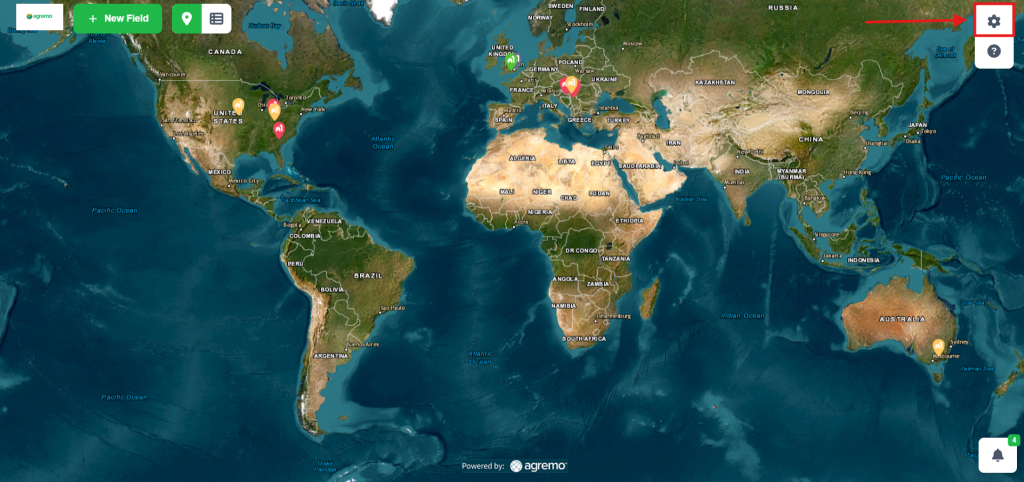
Click the SETTINGS button in the upper-right corner.
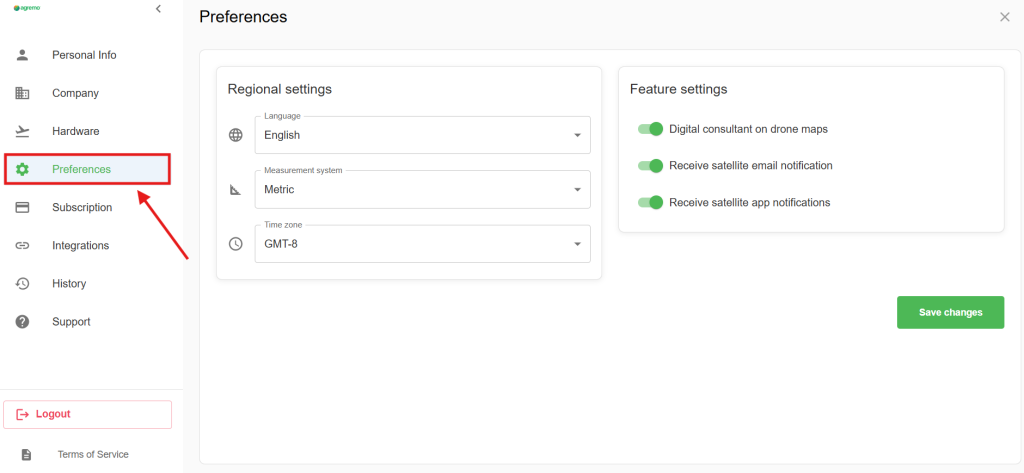
Click on PREFERENCES.
Click on the field MEASUREMENT SYSTEM.
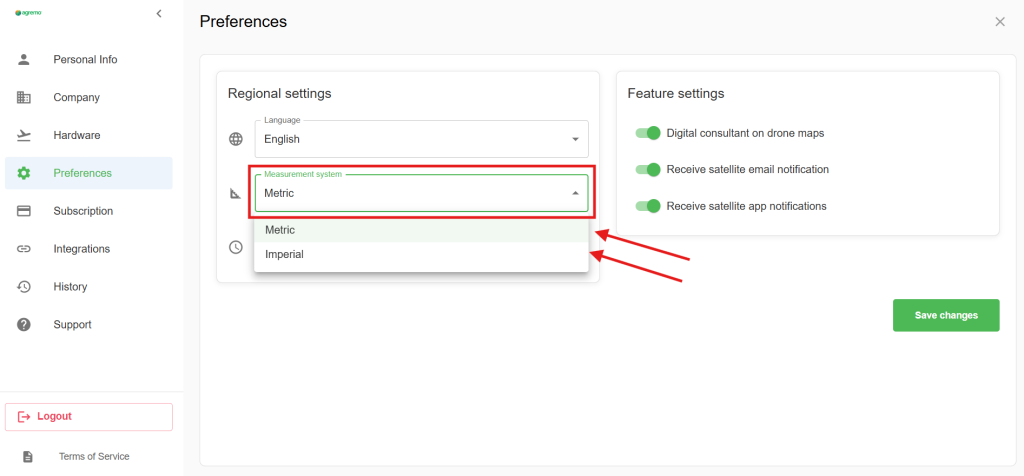
And choose METRIC for Hectares or IMPERIAL for Acres and click on SAVE.