How to Check Available Acres
Before you start a new field analysis, it is important to check the available acres in your account. This ensures that your current subscription covers the size of the area you want to analyze. Therefore, monitoring your balance helps you plan your drone flights and data processing more effectively. By knowing how to check available acres, you can avoid interruptions in your workflow and keep your projects running smoothly.
Where to Find Your Subscription Info
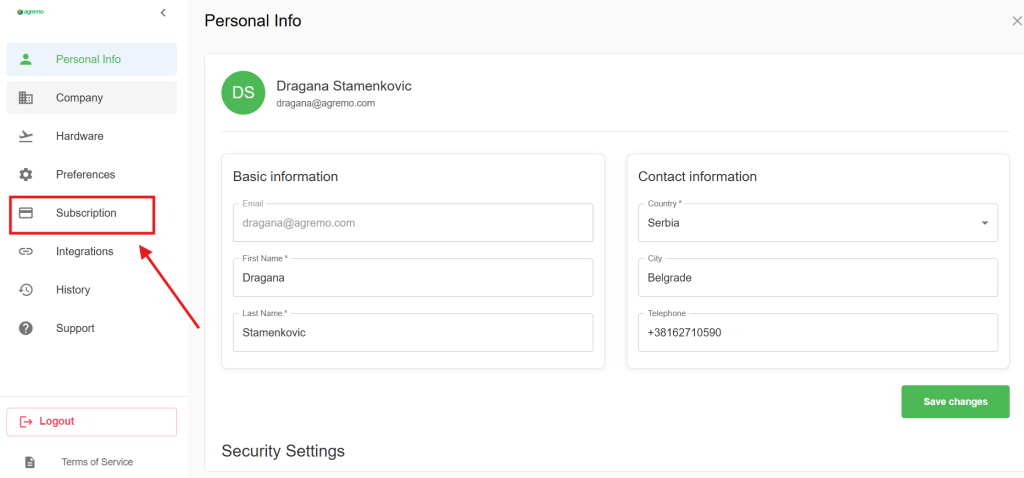
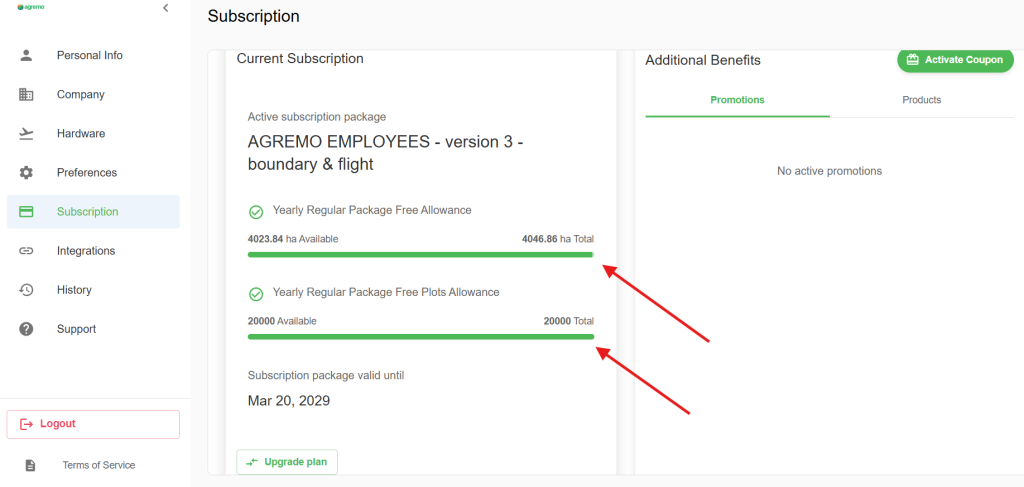
To check available acres, simply log in to your Agremo web app. First, navigate to the user profile or subscription tab located in the settings menu. Then, you will see a clear overview of your total quota and the remaining balance. Consequently, you will always know exactly how much space you have left for new reports.
Step 1
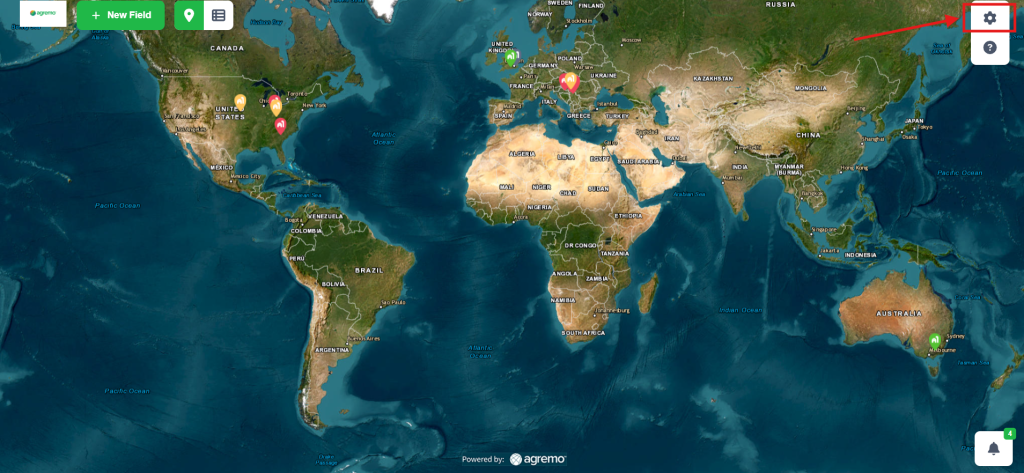
Click on the Settings button, which is located in the upper-right corner.
Step 2
Click on the Subscription button and check the information…