
Overview
Working as part of a team has many benefits. Often, your work requires collaboration, different roles, and good old teamwork. If someone invites you to join their team on the Agremo App, all you have to do is follow these few simple steps.
IMPORTANT NOTICE: Due to the potential privacy issues and GDPR conflict, the holders of existing Agremo accounts will not be able to join an organization if they have existing fields and maps. In such a case, in order to join the organization, you will have to remove the fields and the maps you created and uploaded earlier to your Agremo account during the time when you weren’t a part of the Organization. System demo fields are excluded from this rule.
How to Invite New Members?
Collaboration is the foundation of successful agricultural projects. To build your team, you need to invite new members to your digital workspace. This allows agronomists, pilots, and partners to share data and insights in real-time. Therefore, knowing how to manage your team effectively is vital for scaling your operations. By learning to invite new members, you ensure that everyone has access to the latest field analysis.
Step-by-Step Invitation Process
The process is very straightforward for administrators. First, navigate to the Company section in your dashboard. Then, select Members from the sidebar menu. Next, as the Owner, you will see the specific option to invite new members by entering their email addresses. Consequently, they will receive an invitation to join your organization immediately.
Step 1
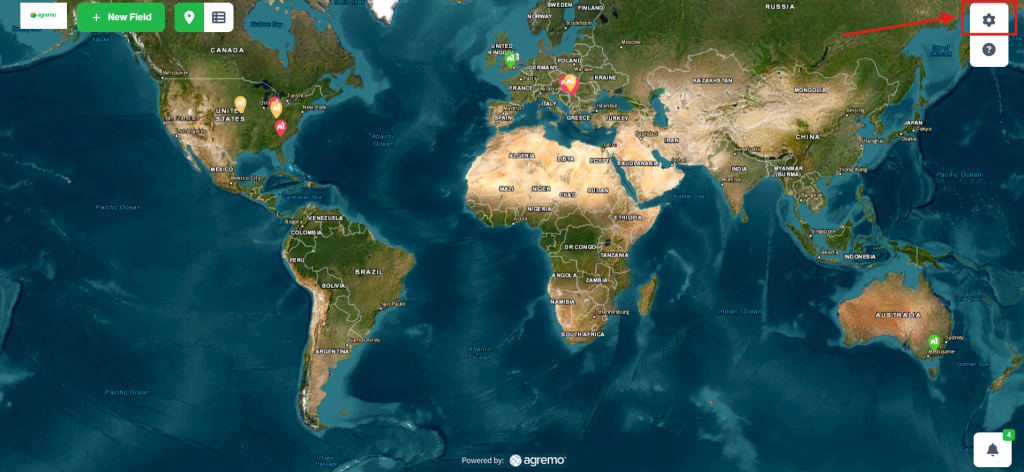
Go to the Settings, in the upper right corner.
Step 2
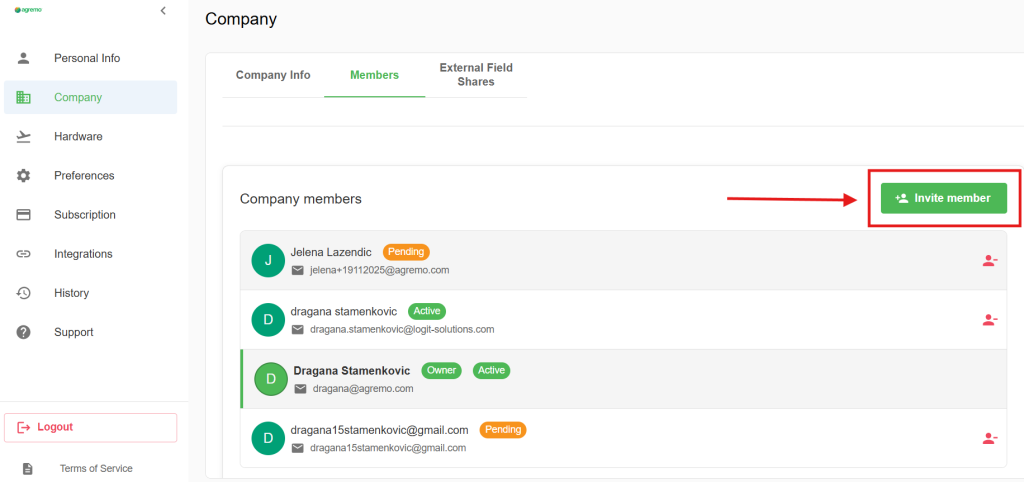
Access your Company options, then choose Members. As the Owner, you have the option to invite new members to the organization.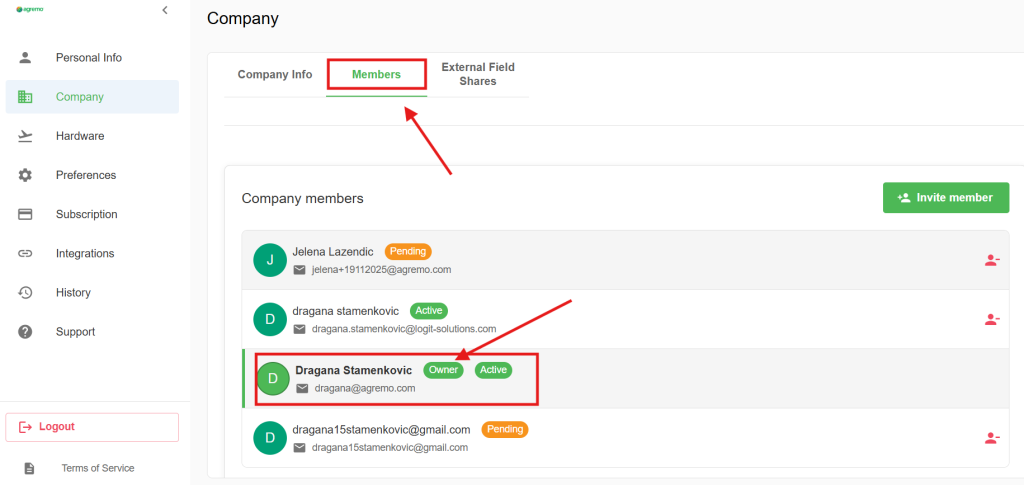
It looks like this…
Step 3
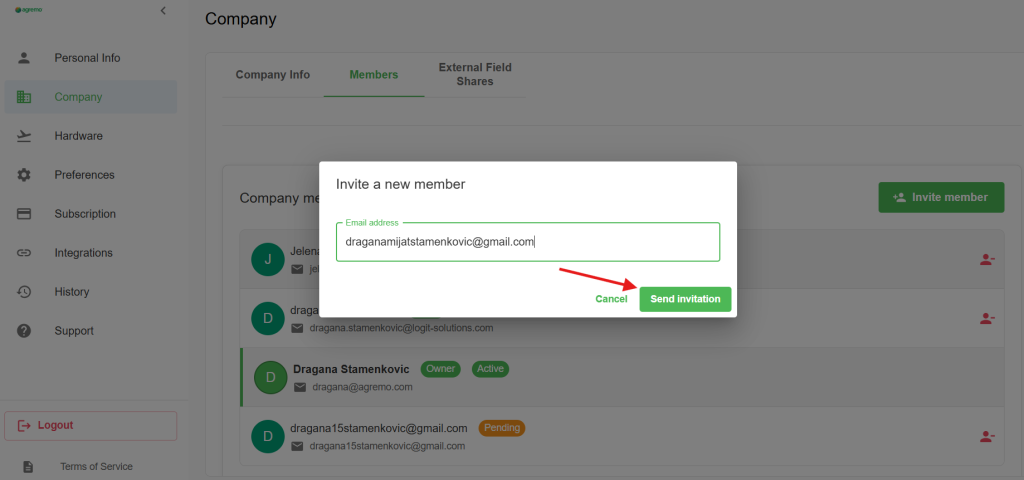
Enter a member email address in the textbox and click on the Send invitation.
Step 4
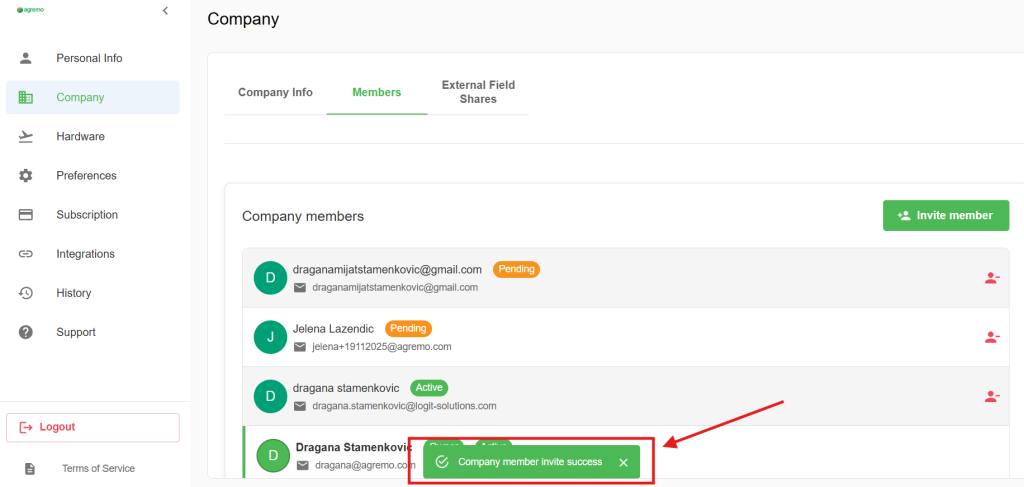
At the end, a success message will appear.
Step 5
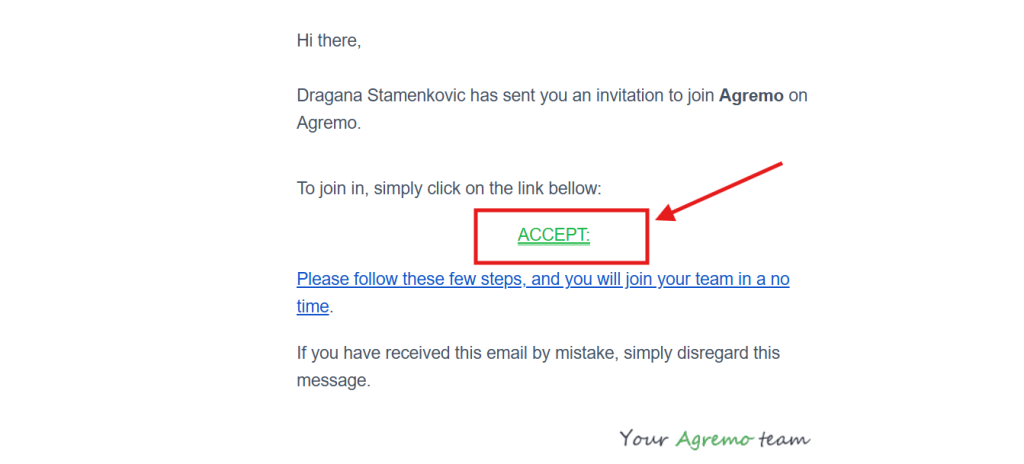
On the other hand, the invited member will receive an email invitation to join the workspace. Once they click on the ACCEPT link in the email, they will be redirected to the Agremo application. Therefore, please advise them not to delete the email, as they will need it for the final step of the process.
Step 6
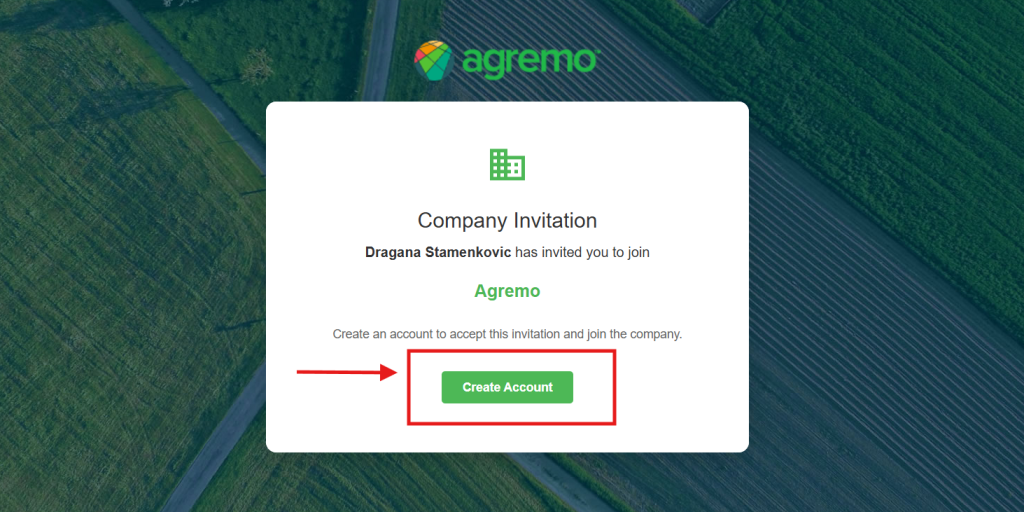
After redirecting, you will land on the registration page. If you don’t have an Agremo account, please click on Create an Agremo account. If you already have an Agremo account, please log in and proceed to the final step.
NOTICE: To join a membership, the invited account must be completely clean. Specifically, it is necessary that the account has no requested or existing analyses.
Step 7
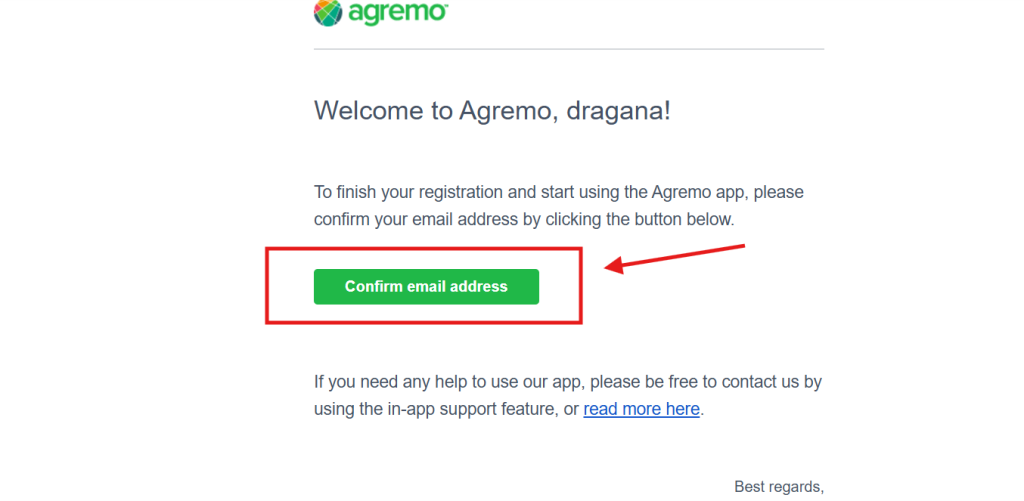
After you have finished setting up your account and logged in to the Agremo App, the final step is to join your Organization. Go back to STEP 1 and click again on the ACCEPT link in the email. After this step, you will be a part of your Organization.
Roles and access to the organization data
Agremo allows you to have different roles and access to the organization.
As the owner of an organization user has the ability to:
- Access all fields, maps, and analysis data in the organization.
- Add or remove members of the organization.
- Edit and Share all data in the organization.
- Share data outside of an organization.
- Get notification about your member’s activity
- Create a CSV report per analysis type containing all data from every member of the organization
As a member of an organization user has the ability to:
- Create fields, upload maps, and request analysis on maps uploaded by members.
- Edit and Share data from his account with other members of the organization.
- Share analysis data outside of an organization.
- Edit field data which are shared with him by other members of the organization.
Agremo offers as many levels of roles and access as your project requires.
Example
Organization owner adds Coordinator role 1 and Coordinator role 2
Coordinator role 1 adds Member 1, 2 and 3
Coordinator role 2 adds Member 4, 5 and 6
The Organization owner as the highest level user of an organization has the ability to access, edit, share, and delete all data and members in his organization.
Coordinator role 1 as the middle-level user of an organization has the ability to access, edit, share and delete all data and members in his organization who are of a lower level than he. Those are Member 1, 2, and 3. Coordinator role 1 can not access fields and data from the Organization owner, Coordinator role 2, and Members 4, 5, and 6.
Coordinator role 2 as the middle-level user of an organization has the ability to access, edit, share and delete all data and members in his organization who are of a lower level than he. Those are Members 4, 5, and 6. Coordinator member 2 can not access fields and data from the Organization owner, Coordinator role 1, and Members 1, 2, and 3.
Members 1, 2, 3, 4, 5, and 6 as the lowest level users of an organization have access only to data created by them and data that has been shared with them.
Example of organization structure:
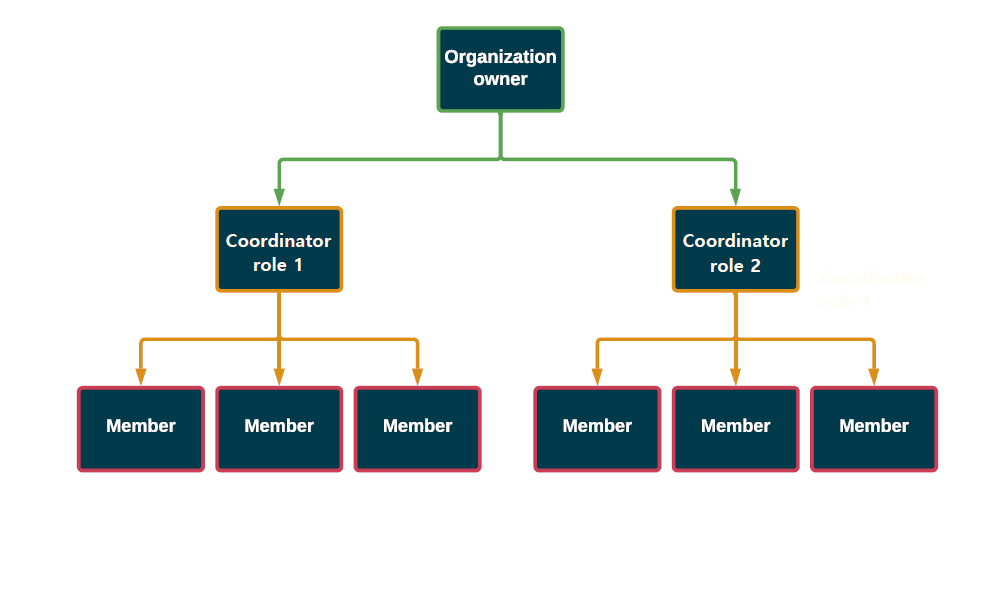
Agremo organization can be tailored for every client demand.
For more information please contact sales at [email protected].