Overview
Collaboration is a key part of modern farming and digital agriculture. When you share Agremo fields, you allow your team or business partners to view and analyze the same data you see. This ensures that everyone involved in the decision-making process is on the same page. Our platform makes it easy to collaborate and distribute agricultural insights securely and efficiently across different devices.
How it works?
The sharing and editing field is a feature available only if the user is a part of an organization on the Agremo web app.
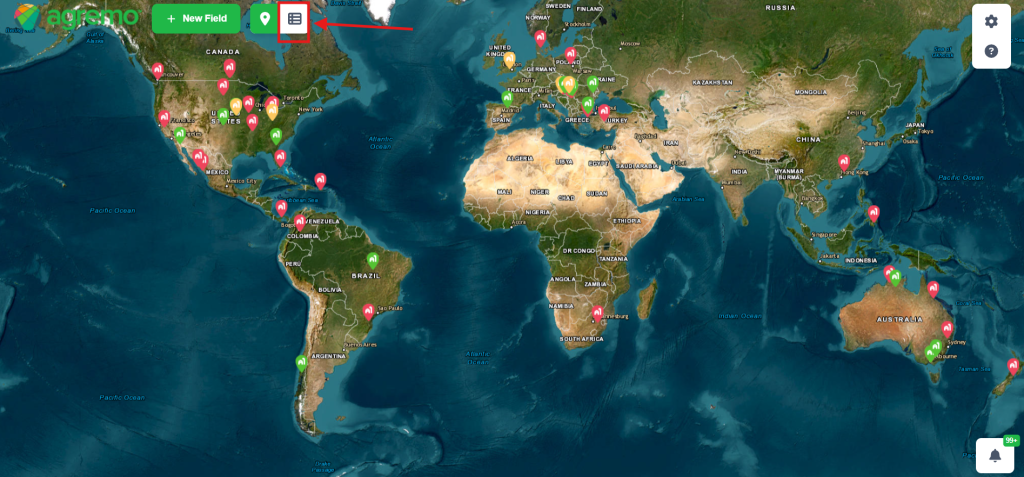
To share a field with someone from your organization, go to the field list view.
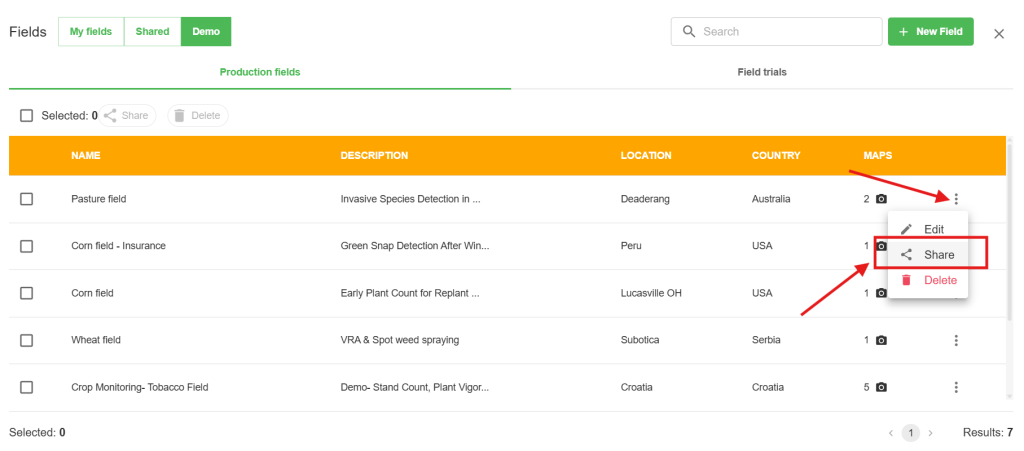
Click on the Share button for the field you want to share.
A new window will pop up. Enter the email address of your member organization with whom you want to share a field and click on the Share button.
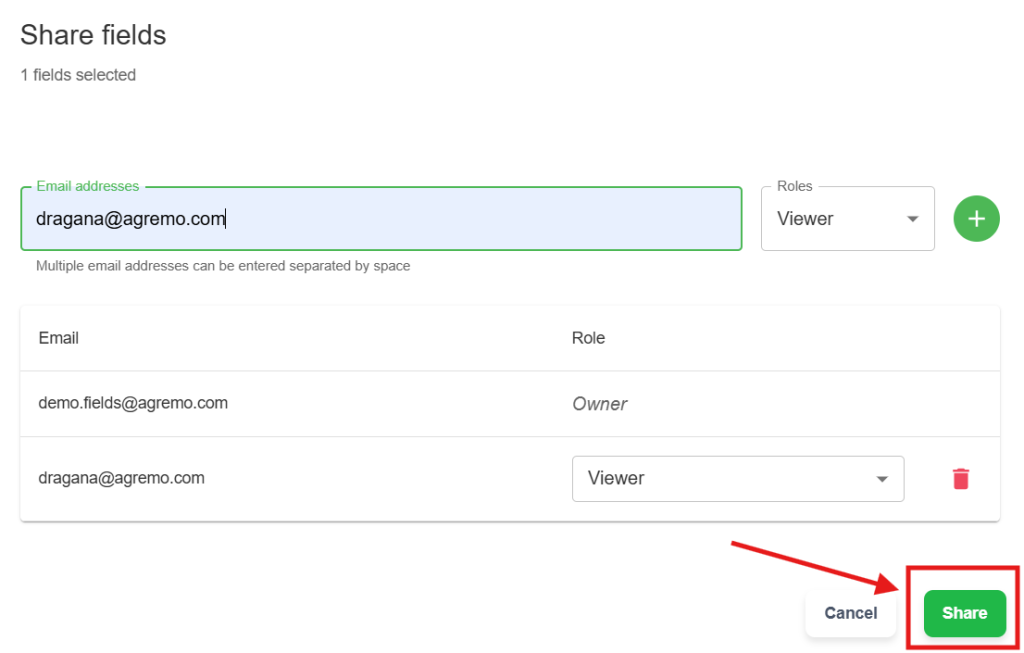
The user with whom the field is shared will receive an email that the field has been shared with them.

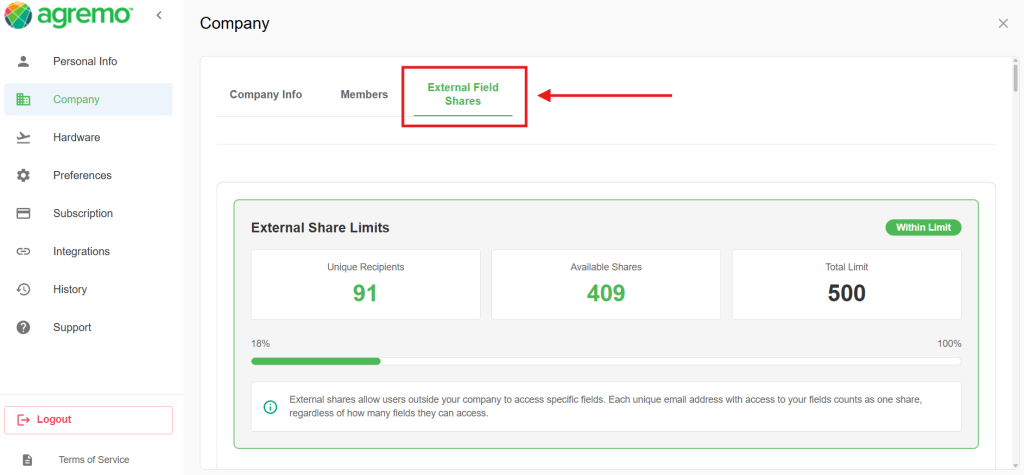
To access this data, go to the Settings menu, enter the Company section, and choose External Field Shares to see your shared field details.
On this screen, you can monitor your External Share Limits to keep track of your collaboration data. Specifically, you will see the exact number of unique recipients you have and how many available shares remain in your account. Furthermore, you can check your total limit, which might be a fixed number (for example 500) or set to infinity depending on your subscription. Consequently, this overview helps you manage your resources and ensures you never run out of sharing capacity during peak season
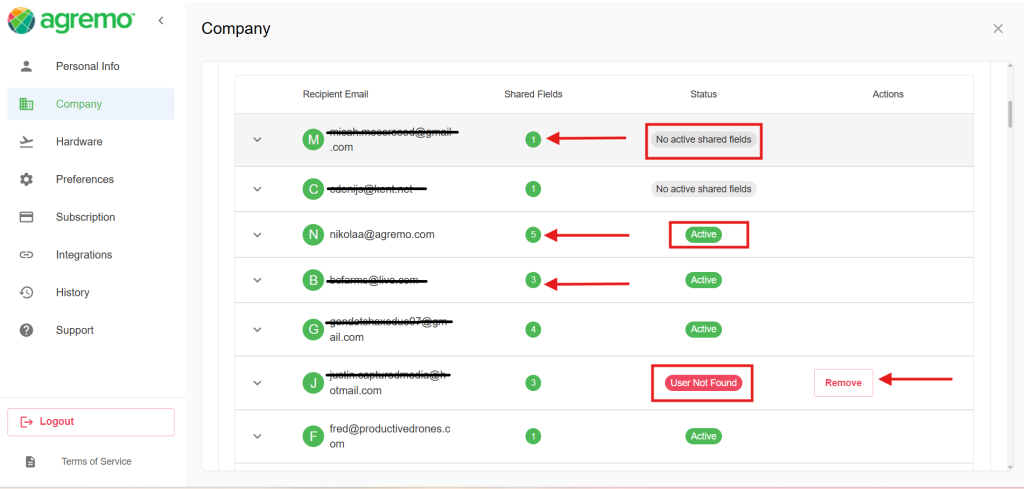
In this section, you will see a detailed overview of the fields you have shared (for example, 1, 3, or 5 fields), including their current status. Specifically, if you notice the note ‘User not found‘, it means the recipient does not have an active account or the email address is incorrect. Consequently, you have the option to remove these entries to keep your sharing list organized and up to date.
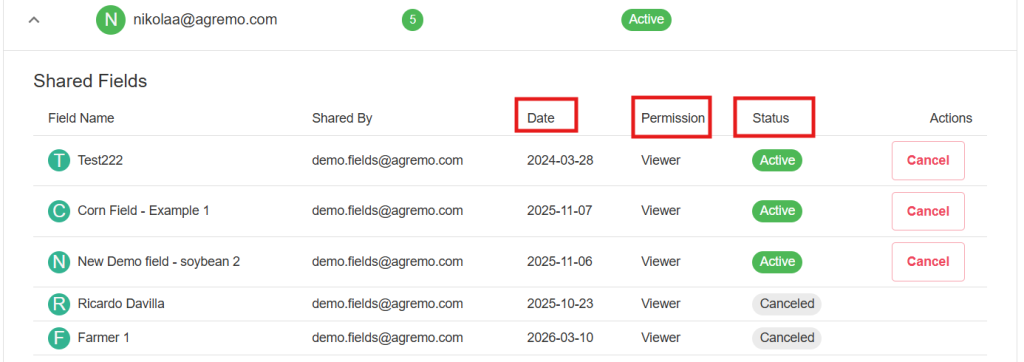
Once you click on any of these contacts, a detailed list of shared fields will appear. This section provides a comprehensive overview of your collaboration activity. Specifically, you can monitor the following information for each entry:
Date: This shows exactly when you shared the specific field with the recipient.
Permission: This column indicates the access level granted to each person. For instance, it shows whether they are a Viewer or have other capabilities, such as Contributor, Admin, or Pilot. Specifically, these roles depend on the specific permissions that were set at the time the field was shared.
Status: Here you can see if the connection is Active, Canceled, or if the User was not found.
Actions: Furthermore, you have the power to manage these shares. If a connection is no longer needed, you can simply click ‘Cancel‘ to revoke access.