Overview
Once our AI processing is complete, you can easily view analysis results directly on your dashboard. This feature provides deep insights into your field’s health and productivity. Therefore, understanding how to navigate this section is vital for your farming success. By learning to view analysis results correctly, you can make informed decisions and optimize your crop management strategies.
Step 1
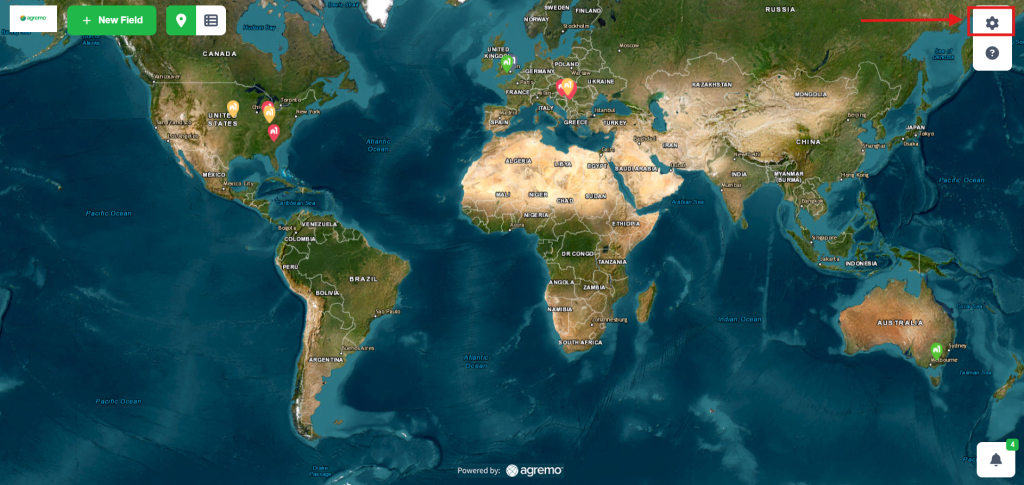
Go to the Settings, in the upper right corner.
Step 2
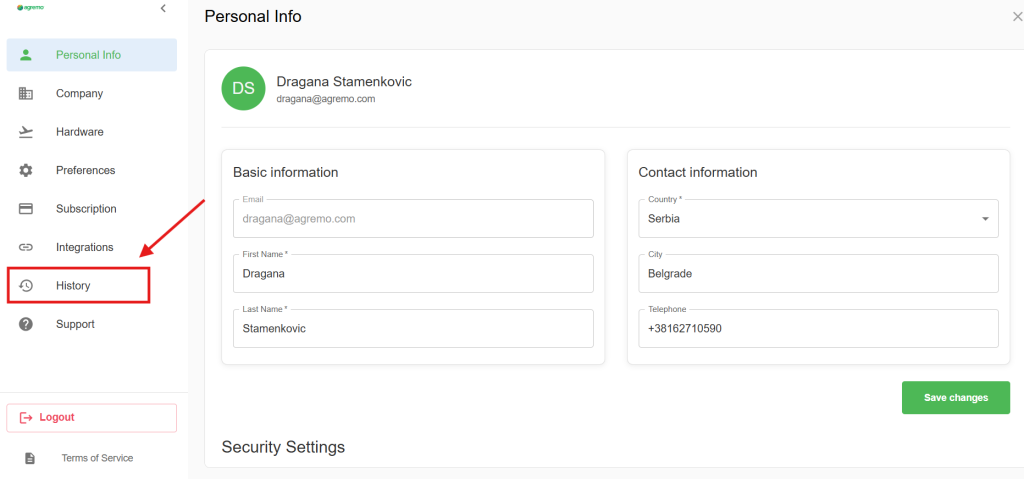
Access your History options.
Step 3
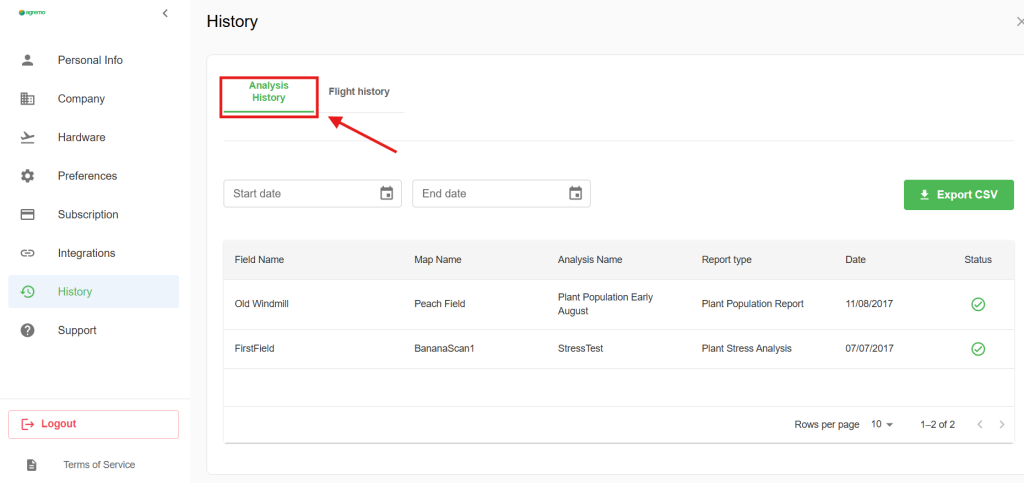
Click on the button Analysis history…
Step 4
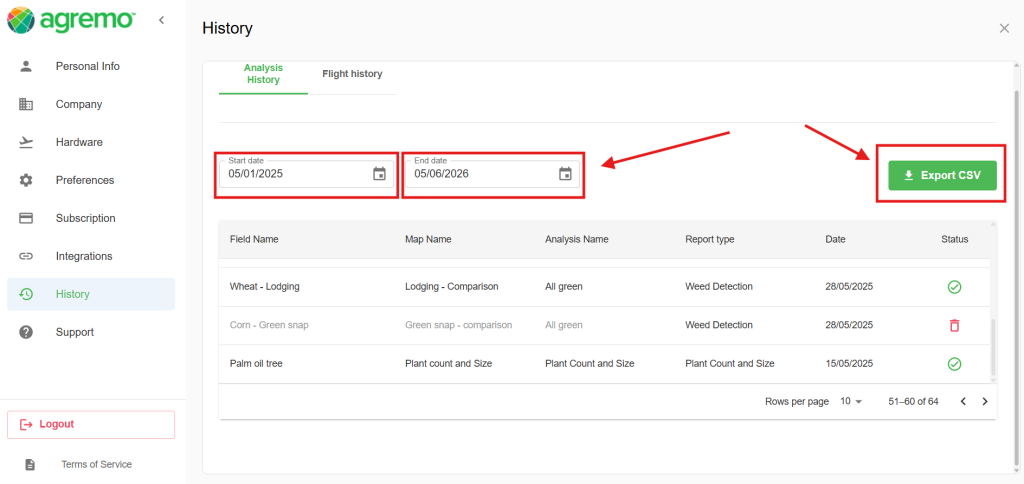
By entering a Start and End Date, you can filter your results to see only the analyses from that period. However, if no date range is specified, clicking Export CSV will result in a full export of your entire analysis history.
The exported ZIP file contains separate CSV files for each specific analysis type. For instance, if you have performed several Stand Count reports, all of them—across all fields and maps within the selected period—will be grouped into one dedicated CSV file. Specifically, this allows you to review data for a particular analysis type without mixing it with other report categories. Consequently, you can easily compare results from different locations and maps in a single, organized document.
Step 5
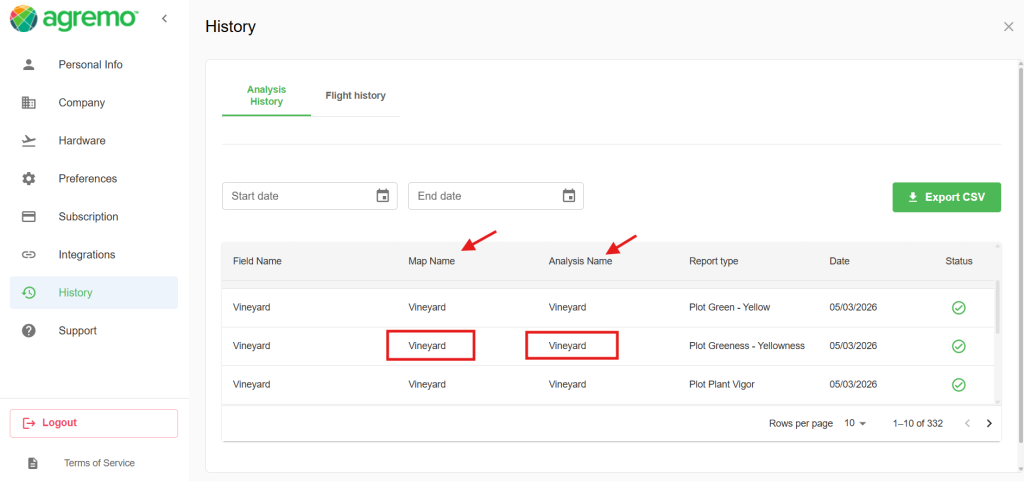
By clicking on the Map Name or Analysis Name, you will be automatically redirected to the specific report where you can view all the detailed results and data
Step 6
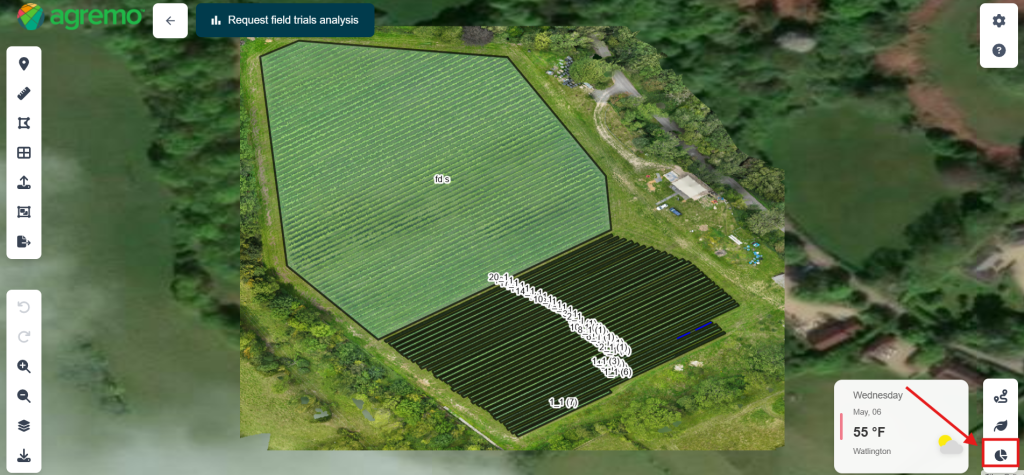
In addition, by clicking the icon located in the bottom right corner, you can instantly open a detailed preview of the analysis.
Step 7
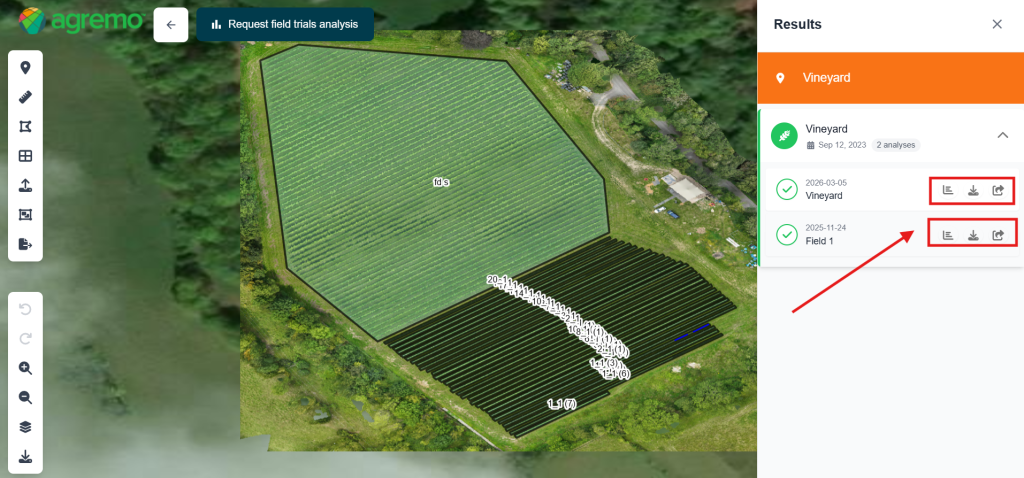
Furthermore, this section gives you the option to view, download, or share the results of the selected analysis directly from the dashboard.
Final Summary
In conclusion, the ability to view analysis results efficiently is the foundation of successful digital farming. Ultimately, we want to help you get the most out of every hectare by providing clear and actionable data. However, if you encounter any difficulties or have questions about specific metrics, our support team is ready to assist you. Please feel free to contact us if you need help navigating your reports or understanding the technical details.