Overview
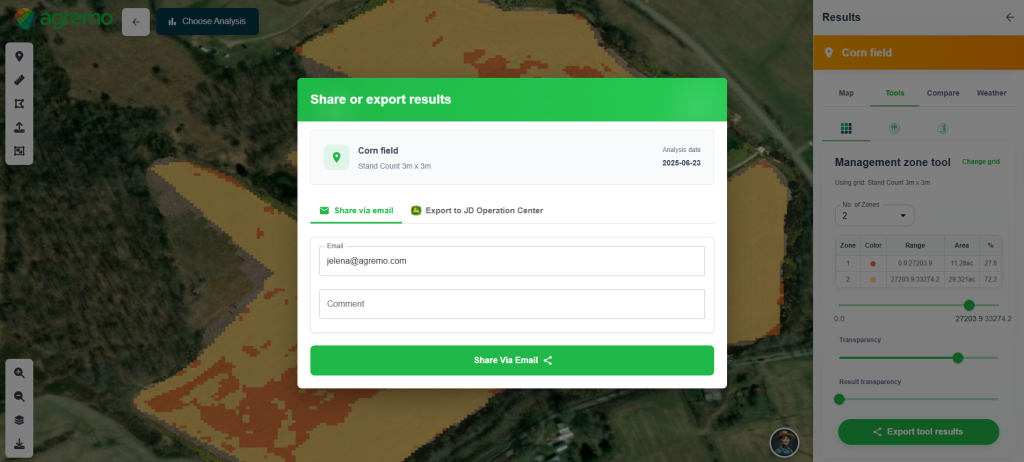
The Zone Management Tool helps you turn raw field data into actionable management zones based on crop health, stand count, and field variability. By leveraging advanced analytics from drone and satellite imagery, this tool enables farmers and agronomists to visualize variability, detect problem areas, and make data-driven decisions to optimize field performance.
This tool is available within the following setup:
AI Analyses – providing precise insights into crop health and plant population variability
Real-time Plant Health & Satellite Data – enabling continuous monitoring and accurate field zoning across all crops
How to Access
From AI Analyses
- Open the uploaded Drone map for the selected field.
- Go to the AI analysis results
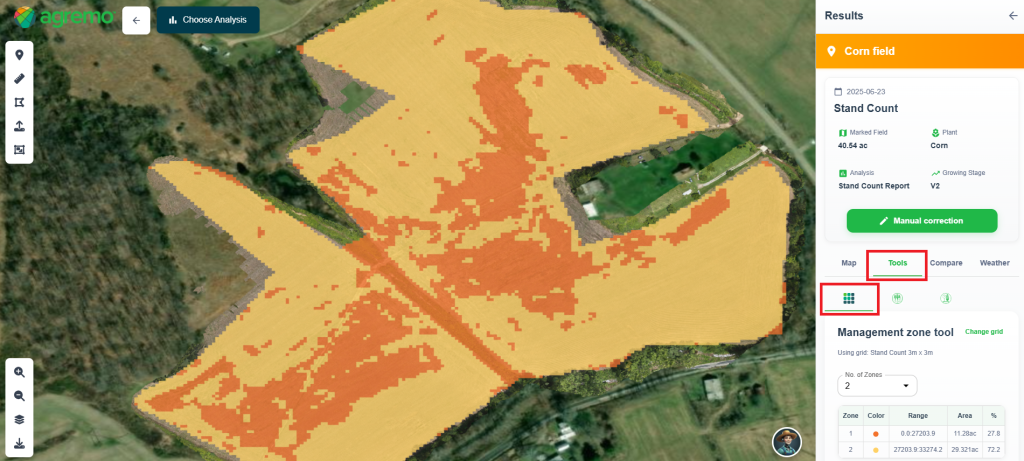
- Click on the Tools tab.
- Select the Zone Management tool.
- Select a predefined grid or create a new one by clicking the “Create Map” button.
- The Zone Management tool will appear on the right sidebar
From Real-time Plant Health or Satellites
- Open the uploaded Drone map or Satellite map for the selected field.
- Click on the Tools tab.
- Select the Zone Management tool.
- Select a predefined grid or create a new one by clicking the “Create Map” button.
- The Zone Management tool will appear on the right sidebar
How It Works
- Open the Zone Management Tool –Access the Zone Management Tool from your analysis to start creating field management zones based on crop conditions.
- Select or Create a Grid – Choose a predefined grid based on tile size, or create a new one by clicking “Create Map.”
- Generate & Adjust Zones – Zones are automatically created based on crop health and stand count variability. Fine-tune them using the slider for greater precision:
- Health zone range – defines crop health percentage per zone
- Counting zone range – defines plant population (plants/ha) per zone
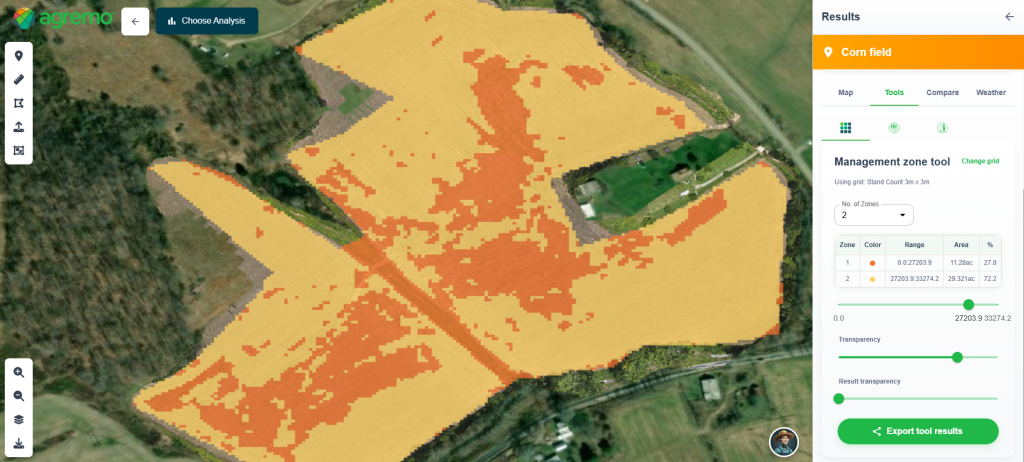
4. Export Results – Once finalized, export your zone map and report directly via email or to JDOC for seamless field management and decision-making.
💡 Note: For JDOC export, make sure your account is connected within the Agremo app.