
Overview
Working as part of a team has many benefits. Often, your work requires collaboration, different roles, and good old teamwork. If someone invites you to join their team on the Agremo App, all you have to do is follow these few simple steps.
IMPORTANT NOTICE: Due to the potential privacy issues and GDPR conflict, the holders of existing Agremo accounts will not be able to join an organization if they have existing fields and maps. In such a case, in order to join the organization, you will have to remove the fields and the maps you created and uploaded earlier to your Agremo account during the time when you weren’t a part of the Organization. System demo fields are excluded from this rule.
Step 1
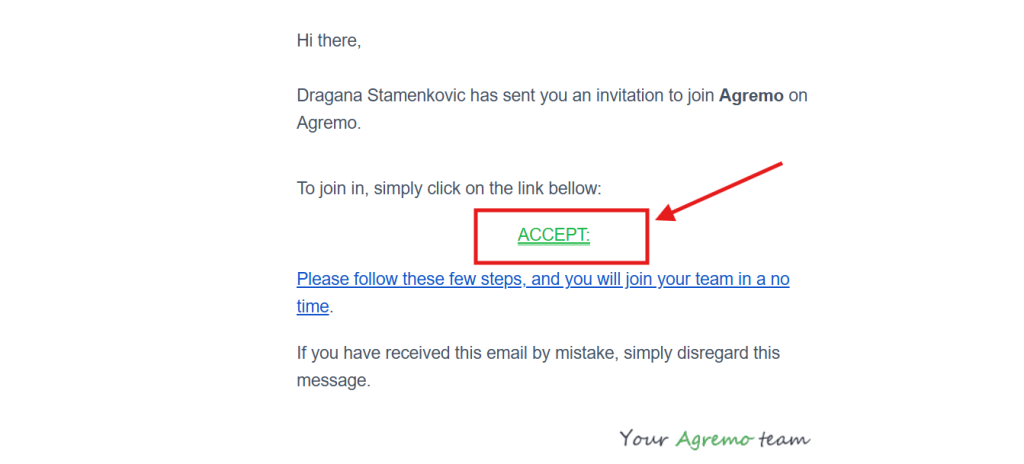
You will receive a notification email. Clicking on the ACCEPT link in the email, you will be redirected to the Agremo application. Do not delete the email, as you will need it in the last step.
Step 2
After redirecting, you will land on the registration page. If you don’t have an Agremo account, please click on Create an Agremo account. If you already have an Agremo account, please log in and proceed to the final step.
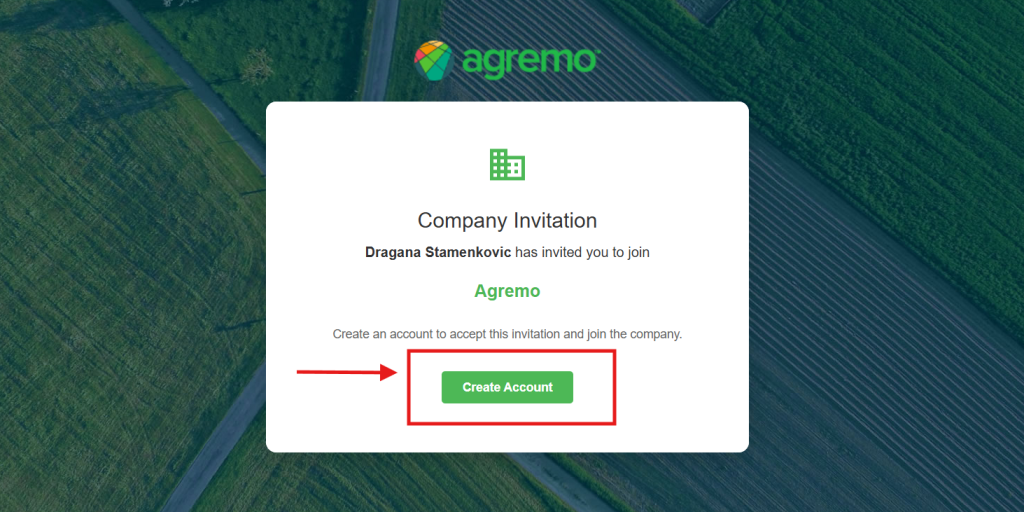
Once you create your account and complete your profile details, you will be successfully integrated into the Agremo organization community.
For more detailed information regarding your account setup, you can visit our page Company.